
IT & CYBERSECURITY · MANAGED IT
IT that gets fixed, and stays fixed.
Cyber6 runs the everyday technology your business depends on: laptops, servers, phones, Wi-Fi, printing, and backup, with a help desk your team can reach and engineers who know your setup.
Cyber6 is an AI & technology partner: we automate the work slowing businesses down, protect them with IT & cybersecurity, and train their people.
THE PROBLEM
The same problems, every week, with nobody in charge of them.
The printer in the back office drops off the network again. The Wi-Fi in the conference room works for some people and not others. A new hire starts Monday, and their laptop is still in a box on Wednesday.
Someone in the office has become the IT person by accident. They are good at their real job, and they lose a few hours every week resetting passwords and restarting routers. When they are on vacation, everyone waits.
Nobody can say for certain which laptops are getting updates, how old the server is, or when the backup last ran. It feels fine until the day a drive fails and the answer to all three questions turns out to be bad.
WHAT IT'S COSTING YOU
Hours lost to small outages
Ten minutes here and half an hour there add up across a whole team, and they land on your busiest days.
Your best people doing the wrong job
The accidental IT person stops doing the work you hired them for, and they never get to fix the root cause.
Security gaps nobody sees
Devices that skip updates and accounts that never got switched off after someone left are the usual ways attackers get in.
Backups that fail when you need them
A backup that has never been tested is a guess. Many businesses learn theirs was broken on the day they try to restore.
HOW IT WORKS
How managed IT works with Cyber6
We start by learning exactly what you have, then take over the routine care so problems stop coming back.
STEP 1
We take stock of everything
Every laptop, phone, server, printer, and network device is listed, with its age, owner, and whether it is getting updates.
STEP 2
Devices are enrolled and watched
Each device gets monitoring and management software, so we see a full disk or a failing update before your team does.
STEP 3
Updates run on a schedule
Operating system and application updates install on a set rhythm, outside working hours, with a report of anything that failed.
STEP 4
Your team gets one place to ask for help
Staff contact the help desk by email, phone, or portal. Every request becomes a ticket with a named engineer and a status.
STEP 5
Backups are tested, not assumed
We run restores on a schedule and keep an off-site copy, so we know a file or a whole server can come back.
STEP 6
You get a regular review
We walk you through what broke, what we fixed for good, and what equipment is due for replacement, in plain language.
We take stock of everything
Devices are enrolled and watched
Updates run on a schedule
Your team gets one place to ask for help
Backups are tested, not assumed
You get a regular review
WHAT'S INCLUDED
Six parts of your technology, looked after by one team.
Each covers a piece of the day-to-day that usually falls through the cracks.
- 01
Step 1: Laptops and desktops
Setup for new staff, scheduled updates, monitoring, repair, and a clean handoff when someone leaves the business.
WHAT IT MEANS FOR YOU
New hires work on day one, and departing staff lose access the same day.
- 02
Step 2: Servers
Patching, monitoring, storage capacity, and recovery planning for the physical and virtual servers you still run.
WHAT IT MEANS FOR YOU
The machine the whole office depends on gets attention before it fails.
- 03
Step 3: Phones and tablets
Company and personal phones enrolled with clear rules, approved apps, and the ability to wipe a lost device remotely.
WHAT IT MEANS FOR YOU
A phone left in a taxi is an inconvenience, not a data breach.
- 04
Step 4: Wi-Fi, voice, and printing
Networks kept online and split up sensibly, so guest Wi-Fi, office devices, and phones don't share the same lane.
WHAT IT MEANS FOR YOU
Calls stay clear, printers stay connected, and guests can't see your files.
- 05
Step 5: Help desk
Business-hours support from named engineers, with after-hours coverage for teams that work nights, weekends, or on call.
WHAT IT MEANS FOR YOU
Your team knows who to ask and can see where their request stands.
- 06
Step 6: Office buildouts and moves
Network design and installation for new offices, expansions, and relocations, planned so nobody loses a working day.
WHAT IT MEANS FOR YOU
Moving or growing doesn't mean a week without internet.
Tools we manage for you
- Device management
- NinjaOneIntuneAddigyHexnodeApple Business Manager
- Protection
- SentinelOneThreatLockerDNSFilterLookout
- Network and backup
- UbiquitiNordLayerMSP360Printix
Already using other tools? We'll review what you have during your discovery call and keep what works.
IN YOUR INDUSTRY
What it looks like in your industry
BEFORE
The imaging computer freezes during a patient visit, and the office manager spends the lunch hour on hold with three different vendors.
AFTER
The help desk owns the problem, calls the imaging vendor directly, and the office manager goes back to running the front desk.
WHAT WE MEASURE
What we measure
We record where things stand before we take over, so you can compare the months that follow against your own starting point.
AIM: GOING DOWN
Repeat tickets
How often the same problem comes back for the same person or device after we close it.
AIM: GOING DOWN
Time to resolve
How long it takes from a staff member asking for help to the problem being fixed and confirmed.
AIM: GOING UP
Devices up to date
The share of laptops, phones, and servers that have every required update installed this month.
AIM: GOING UP
Successful test restores
How many scheduled restore tests brought files or systems back correctly, reported every month.
QUESTIONS
Common questions
No. We start with what you have, tell you what is working, and flag what is too old to keep safe. Replacements are planned and budgeted, never forced overnight.
Yes. Many clients keep an internal person for on-site work and use us for monitoring, updates, security, and the help desk. We agree who handles what in writing.
After-hours help desk coverage is available for teams that work nights, weekends, or on call. We agree the details during onboarding.
By email, phone, or a support portal. Every request becomes a ticket with a named engineer, so nothing gets lost in someone's inbox.
Yes. We manage Windows, Mac, iPhone, iPad, and Android devices, using the right management tool for each one.
We plan the handover with you, collect passwords and documentation, and switch over in stages so nobody loses access in the middle of a workday.
Cyber6 is an AI & technology partner. We automate the work slowing businesses down, run and protect their IT, and train their people. Managed IT is part of the Protect work.
WHO WE'VE WORKED WITH
- A statewide cybersecurity assessment program
- Credit unions
- A water and wastewater utility
- Housing organizations
- Nonprofits and churches
- Small businesses
- A health and wellness startup
Every result is measured against your own starting point.
How we prove it →PART OF ONE PARTNER
One partner for all three.
Automate · AI & Automation
Stable, well-managed systems are what automations rely on, so a missed-call text or invoice reminder never stalls on a broken connection.
Explore AutomateProtect · IT & Cybersecurity
Managed IT keeps the devices and networks your business runs on healthy and up to date.
You're here
Empower · Training for Businesses & Individuals
Short training helps staff use their tools well and report problems early, which keeps help desk requests small.
Explore Empower
WHY CYBER6
Why businesses choose Cyber6.
One partner, not three vendors
The people automating your work also run and protect your IT and train your team, so nothing falls between companies.
Plain language and real people
You talk to people who explain things clearly, answer the phone, and tell you what they'd do in your place.
Measured against your own numbers
We record where you start before anything changes, then report results against that baseline.
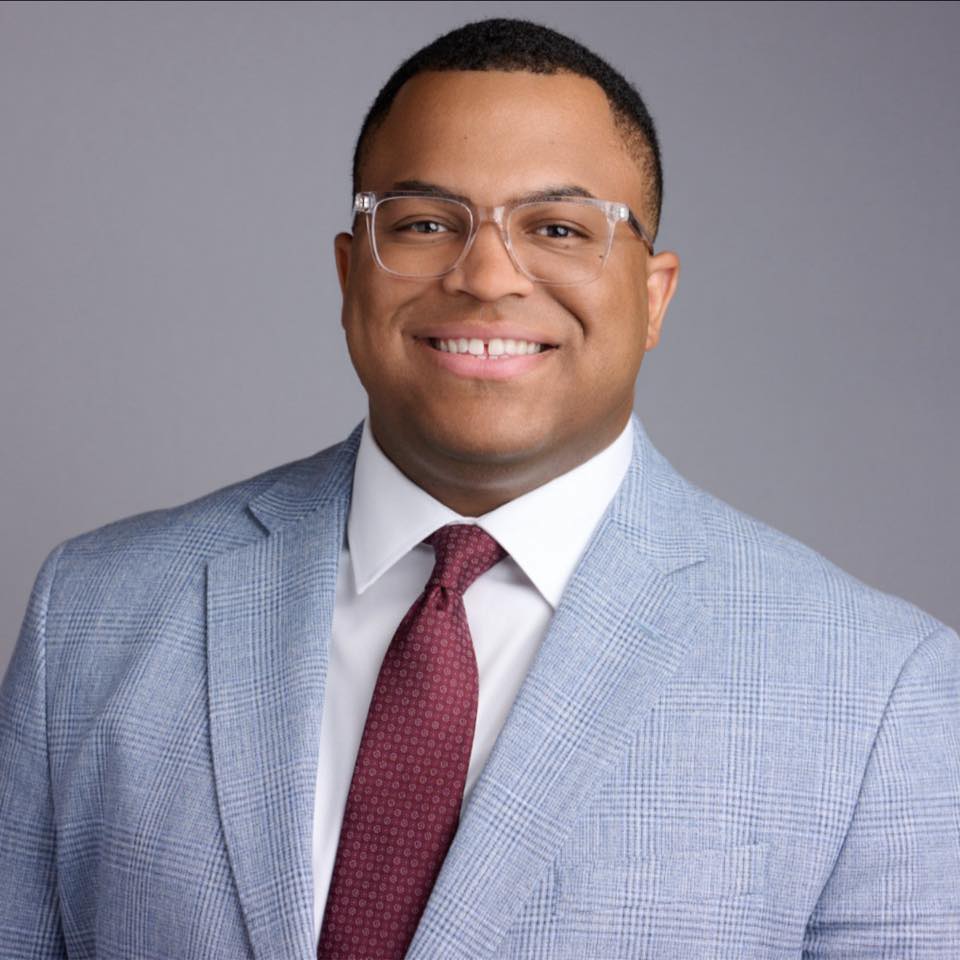
Marquis Carroll, Founder & CEO. Marquis has spent years doing hands-on IT and security work through his own business, and runs a mentorship program that has helped people start careers in tech.
Our storyGETTING STARTED
Four steps from first call to results.
Explore
A relaxed 30-minute conversation about how your business runs and what's getting in the way. No cost, no pressure.
You get: honest answers on whether we can help.
Assess
We look at your systems, security, manual work, and training needs, and record your starting numbers.
You get: a plain-English picture of your risks and opportunities.
Set up
A prioritized plan and proposal, then a kickoff that introduces your team and sets up access safely.
You get: a shared timeline and who to call for what.
Enable
We roll out in phases, train your team, and walk you through your first results.
You get: your first plain-English report, measured with PROVE.
Let's get your IT fixed for good.
A 30-minute call. No cost, no pressure, and honest answers.