

Article
The Change Healthcare outage: what one missing login step cost
The 2024 Change Healthcare attack showed how a single missing security step can disrupt an entire industry for weeks.
- PROTECT
6 min ·
INDUSTRY / SENIOR LIVING
Families call about a parent late at night, on weekends, between shifts at their own jobs. If nobody answers, they call the next community on their list, and a room stays empty another month. Cyber6 helps you respond to every inquiry, protect resident information, and keep residents and their families safer from scams.
5 min read
After-hours inquiry
WE GET IT
The call comes in after hours
An adult child researches communities at 9 PM after putting their kids to bed. If nobody responds until Monday, they've already toured two other places.
Tours get booked too late
By the time your admissions coordinator returns a voicemail, the family has narrowed their list to communities that called back the same day.
Move-in paperwork stalls
Medical forms, contracts, and payment authorization pass back and forth by email and fax. A missing signature can delay a move-in by a week.
Occupancy is a guess until month end
Nobody can say today how many units will be empty next month, so marketing spend and staffing decisions lag behind reality.
Staff turnover resets the relationship
A new caregiver doesn't know a resident's routine or a family's preferences, and residents notice the change.
Resident and guest Wi-Fi share the network
Family members and residents stream video on the same network that runs your billing and care systems, with no real separation between them.
Scam calls target residents directly
A resident gets a call claiming to be a grandchild in trouble, asking for money by gift card or wire, and staff hear about it only after the fact.
Family updates are inconsistent
Some families hear from staff often, others go weeks without an update, and the difference has nothing to do with how their loved one is doing.
THE IMPACT
Rooms that sit empty
Every unit that stays vacant another month is revenue you don't get back, no matter how good your care is once someone moves in.
Marketing spent on inquiries nobody answers
Paying for ads and referrals only to lose the family to a slower follow-up wastes the spend and the goodwill.
Staff time on paperwork instead of residents
Hours spent chasing signatures and re-entering forms are hours not spent with the people already living in your community.
Financial harm to residents
A resident who wires money to a scammer can lose savings that took a lifetime to build, and the community bears the reputational fallout.
Exposure from a mixed network
If guest devices and business systems share a network, a compromised laptop in a resident's room is a way into billing and health records.
COMPLIANCE
This is general information, not legal advice.
THE FIX
AUTOMATE
The right customers find you on Google, AI search, and social, in your own voice.
Every call, text, form, and quote turns into booked work.
Inquiry-to-tour follow-up
Every inquiry gets a same-day response with an easy way to book a tour, day or night.
Customers hear from you at the right time, without your team chasing them.
Family communication updates
Scheduled updates go out to families on a rhythm you set, with an easy way to ask a question or request a call.
Money you've already earned comes in sooner, without awkward phone calls.
Less retyping and waiting, more time for the work that matters.
Occupancy forecasting
A running view of expected move-ins, move-outs, and open units, updated as things change.
PROTECT
Resident and guest Wi-Fi run on their own network, fully separated from billing, care records, and staff systems.
What this means for you: A compromised guest device can't reach resident health or payment information.
Access controls and around the systems that hold health information, scoped to where you provide health services.
What this means for you: Fewer people can see records than need to, and the ones who can are protected.
Staff get their own logins with instead of a shared front-desk password, across the practice management, billing, and care documentation systems your community uses every day.
What this means for you: You can see who accessed what, and a stolen password isn't enough to get in.
Resident records, billing, and care plans are backed up off your network and tested to confirm they restore.
What this means for you: A ransomware attack or hardware failure doesn't mean losing resident histories.
EMPOWER
Residents and the families who visit them
Plain sessions on the grandparent scam, fake tech support calls, and gift-card payment requests, with simple habits that stop money from moving.
Front desk, admissions, and care staff
Recognizing phishing emails, protecting resident information, and knowing what to report and to whom.
A DAY WITH CYBER6
8:10 AMAUTOMATE
An inquiry that came in at 9 PM last night already has a tour booked for Thursday.
11:00 AMEMPOWER
A resident mentions a call asking for gift cards to help a grandchild. Staff recognize it from training and reassure the family.
2:30 PMAUTOMATE
The admissions team gets a short list of families who toured last week and haven't decided, to follow up personally.
4:45 PMPROTECT
A laptop on the guest network shows signs of malware. It's isolated automatically and never touches resident records.
YOUR TOOLS
We work alongside the systems you already use. We'll confirm what connects during your assessment.
QUESTIONS
Responses are written in your community's voice, and any reply routes to a real person on your team.
We work alongside the major platforms and confirm exactly what connects during the assessment.
Yes. That separation is one of the first things we set up, so a guest device is never a path into billing or health records.
It depends on what health services you provide and bill for. We scope the assessment to your actual services.
Yes. We run workshops residents and families can attend, and train staff to recognize and report attempts.
Yes. We can work alongside them or take over fully, and we'll coordinate so nothing falls between the cracks.
Nothing. It's a free review of your inquiry response and your network, with a written summary of what to fix first.
RESOURCES
The 2024 Change Healthcare attack showed how a single missing security step can disrupt an entire industry for weeks.
6 min ·

Protecting patient health information requires more than just a locked door. Use this HIPAA compliance checklist to audit your physical, technical, and administrative safeguards.
6 min ·

Vishing, or voice phishing, uses phone calls and social engineering to manipulate employees into sharing confidential information or granting remote access.
6 min ·
Every result is measured against your own starting point.
How we prove it →PART OF ONE PARTNER
Protect · IT & Cybersecurity
IT and cybersecurity, managed around the clock.
You're here
Empower · Training for Businesses & Individuals
Training that builds skills for your team and your career.
Explore EmpowerWHY CYBER6
One partner, not three vendors
The people automating your work also run and protect your IT and train your team, so nothing falls between companies.
Plain language and real people
You talk to people who explain things clearly, answer the phone, and tell you what they'd do in your place.
Measured against your own numbers
We record where you start before anything changes, then report results against that baseline.
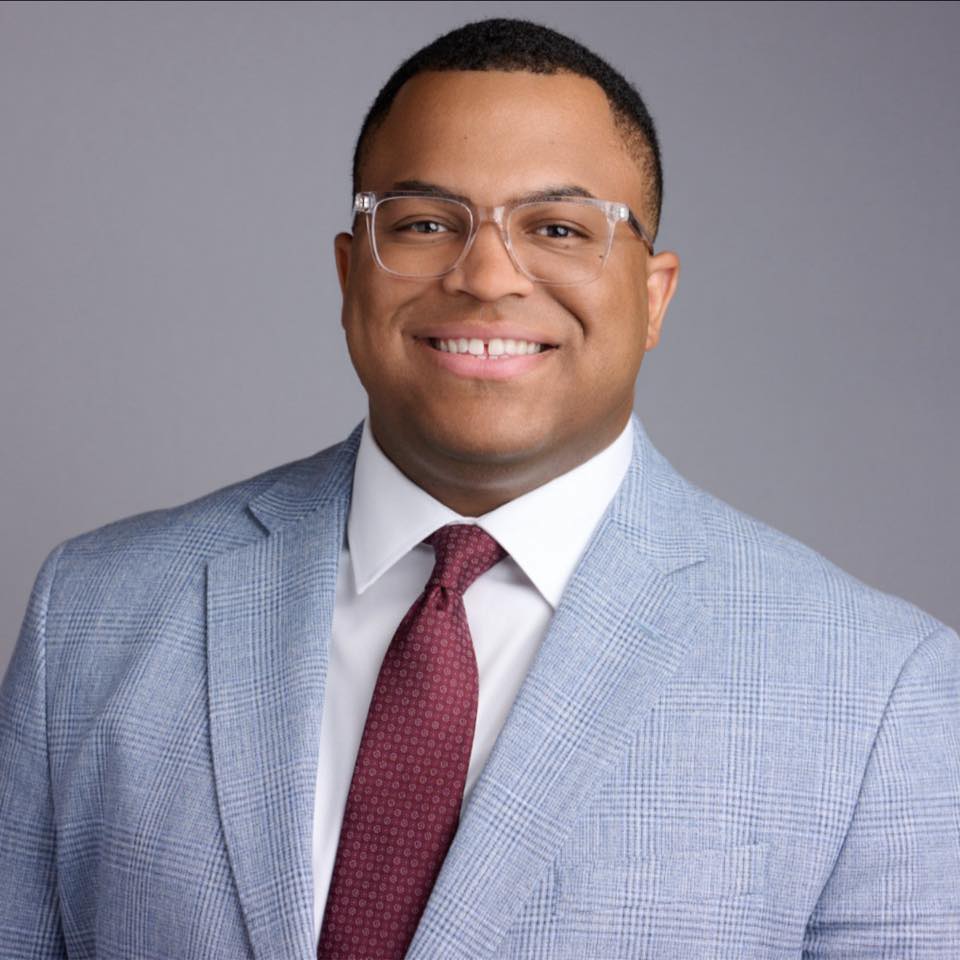
Marquis Carroll, Founder & CEO. Marquis has spent years doing hands-on IT and security work through his own business, and runs a mentorship program that has helped people start careers in tech.
Our storyGETTING STARTED
Explore
A relaxed 30-minute conversation about how your business runs and what's getting in the way. No cost, no pressure.
You get: honest answers on whether we can help.
Assess
We look at your systems, security, manual work, and training needs, and record your starting numbers.
You get: a plain-English picture of your risks and opportunities.
Set up
A prioritized plan and proposal, then a kickoff that introduces your team and sets up access safely.
You get: a shared timeline and who to call for what.
Enable
We roll out in phases, train your team, and walk you through your first results.
You get: your first plain-English report, measured with PROVE.
A 30-minute call. No cost, no pressure, and honest answers.