
IT & CYBERSECURITY · MANAGED SECURITY
Stop the email, the password, and the click that cost you money.
Most losses start with a convincing message or a reused password. Cyber6 closes those doors across email, sign-ins, and shared passwords, then teaches your team what to look for.
Cyber6 is an AI & technology partner: we automate the work slowing businesses down, protect them with IT & cybersecurity, and train their people.

THE PROBLEM
One convincing email is all it takes.
An email arrives in the accounts payable inbox. It looks like it came from a supplier you pay every month. It says their bank details have changed and asks you to update them before Friday's payment.
Nothing about it looks unusual. The logo is right, the tone is right, and it replies to a real thread. The real supplier's mailbox was taken over weeks ago, and the attacker has been reading along.
The payment goes out. Nobody notices until the supplier calls asking why they haven't been paid. By then the money has moved through several accounts, and getting it back is unlikely.
WHAT IT'S COSTING YOU
Money that doesn't come back
Wire and payment redirect scams move funds fast, and banks can rarely reverse a transfer once it has cleared.
One mailbox becomes many
A single stolen login lets attackers send trusted-looking emails to your staff, customers, and vendors.
Insurance questions you can't answer
Insurers now ask about multi-factor sign-in, training, and email filtering. A weak answer can raise premiums or narrow coverage.
Client trust on the line
Telling clients their data may have been exposed is the conversation every owner wants to avoid.
HOW IT WORKS
How managed security works
We close the most common doors first, then add the controls that match your risk and your requirements.
STEP 1
We find where you're exposed
We review email settings, who has multi-factor sign-in, where passwords are kept, and who has admin access.
STEP 2
Email filtering goes in
Incoming mail is scanned for fake senders, bad links, and dangerous attachments before it reaches anyone's inbox.
STEP 3
Sign-ins get a second check
Multi-factor sign-in is switched on for email, remote access, finance systems, and every admin account.
STEP 4
Passwords move into a vault
Staff stop keeping passwords in spreadsheets and sticky notes, and shared accounts are handled safely.
STEP 5
Your team practices spotting fakes
Realistic phishing tests and short training teach people what to look for and how to report it in one click.
STEP 6
You see the results
Regular reports show blocked threats, reported emails, and training progress by department.
We find where you're exposed
Email filtering goes in
Sign-ins get a second check
Passwords move into a vault
Your team practices spotting fakes
You see the results
WHAT'S INCLUDED
Six layers between an attacker and your money.
Each one covers a different way attackers get in. Together, they make one mistake much less costly.
- 01
Step 1: Email security
Filtering, encryption for sensitive messages, and warning banners on outside emails, applied to every mailbox you own.
WHAT IT MEANS FOR YOU
Most fake emails never reach your team at all.
- 02
Step 2: Security awareness training
Short, regular lessons and realistic phishing tests, with private feedback for anyone who clicks and results by department.
WHAT IT MEANS FOR YOU
Your team catches the convincing emails that filters miss.
- 03
Step 3: Multi-factor sign-in
A second check, usually a phone prompt, on email, remote access, finance systems, and admin accounts.
WHAT IT MEANS FOR YOU
A stolen password alone can't open your accounts.
- 04
Step 4: Password vault
A shared, encrypted vault where staff store and share passwords, with alerts when a saved password shows up in a known leak.
WHAT IT MEANS FOR YOU
No more passwords in spreadsheets, and no more reused passwords.
- 05
Step 5: Admin access control
Administrator rights are granted only when needed, recorded, and removed afterward, instead of sitting open all the time.
WHAT IT MEANS FOR YOU
The most powerful accounts are also the hardest to misuse.
- 06
Step 6: Data leak rules
Rules that spot client, patient, or card data leaving by email or upload, and stop or flag it before it goes.
WHAT IT MEANS FOR YOU
Sensitive files stay where they belong, even when someone makes a mistake.
Tools we manage for you
- Email and training
- Ironscales
- Sign-in and passwords
- DuoKeeper SecurityKeeper PAM
- Data protection
- Microsoft Purview
Already using other tools? We'll review what you have during your discovery call and keep what works.
IN YOUR INDUSTRY
What it looks like in your industry
BEFORE
Closing instructions travel by email, and a fake message with new wiring details could send a buyer's down payment to a criminal.
AFTER
Outside emails carry clear warnings, lookalike domains are blocked, and staff confirm any wiring change by phone using a known number.
WHAT WE MEASURE
What we measure
We run a baseline phishing test and review your settings before anything changes, so progress is measured against your own starting point.
AIM: GOING DOWN
Phishing test click rate
The share of staff who click a link in a realistic practice email, tracked over time by department.
AIM: GOING UP
Report rate
The share of staff who report a suspicious email instead of ignoring it, and how quickly they do it.
AIM: GOING UP
Multi-factor coverage
The share of accounts, especially email, finance, and admin, protected by a second sign-in check.
AIM: GOING UP
Passwords in the vault
How many shared and business passwords have moved out of spreadsheets and into the encrypted vault.
INSURANCE READY
The questions insurers ask, answered
Cyber insurance applications ask about the same controls this service puts in place. We document each one.
- Multi-factor sign-in on email, remote access, and admin accounts
- Email filtering and outside-sender warnings on every mailbox
- Regular security training with records of who completed it
- Phishing simulations run on a schedule
- Admin rights limited and recorded
- A written process for confirming payment changes by phone
QUESTIONS
Common questions
It catches a lot, but the convincing, targeted emails are exactly the ones built to get past it. We add a second layer and train people for the rest.
Barely. Most people approve a phone prompt a few times a week, and trusted devices can be remembered. It is one of the most effective protections available.
The goal is practice, not punishment. Anyone who clicks gets short, private feedback, and nobody is called out publicly.
It is reviewed, and if it is malicious, matching emails are pulled from every other inbox so nobody else can click it.
If you handle patient records, card numbers, tax documents, or client files, they are worth it. We start with the data you are required to protect.
Yes. Most applications ask about multi-factor sign-in, training, and email filtering. We give you documentation for each control.
Cyber6 is an AI & technology partner. We automate the work slowing businesses down, run and protect their IT, and train their people. Managed security is part of the Protect work.
WHO WE'VE WORKED WITH
- A statewide cybersecurity assessment program
- Credit unions
- A water and wastewater utility
- Housing organizations
- Nonprofits and churches
- Small businesses
- A health and wellness startup
Every result is measured against your own starting point.
How we prove it →PART OF ONE PARTNER
One partner for all three.
Automate · AI & Automation
Automations that send invoices and payment links run through protected mailboxes, so customers can trust what they receive.
Explore AutomateProtect · IT & Cybersecurity
Managed security closes the doors most attackers use: email, passwords, and admin access.
You're here
Empower · Training for Businesses & Individuals
Security awareness training through Cyber6 Academy turns your team into the layer that catches what filters miss.
Explore Empower
WHY CYBER6
Why businesses choose Cyber6.
One partner, not three vendors
The people automating your work also run and protect your IT and train your team, so nothing falls between companies.
Plain language and real people
You talk to people who explain things clearly, answer the phone, and tell you what they'd do in your place.
Measured against your own numbers
We record where you start before anything changes, then report results against that baseline.
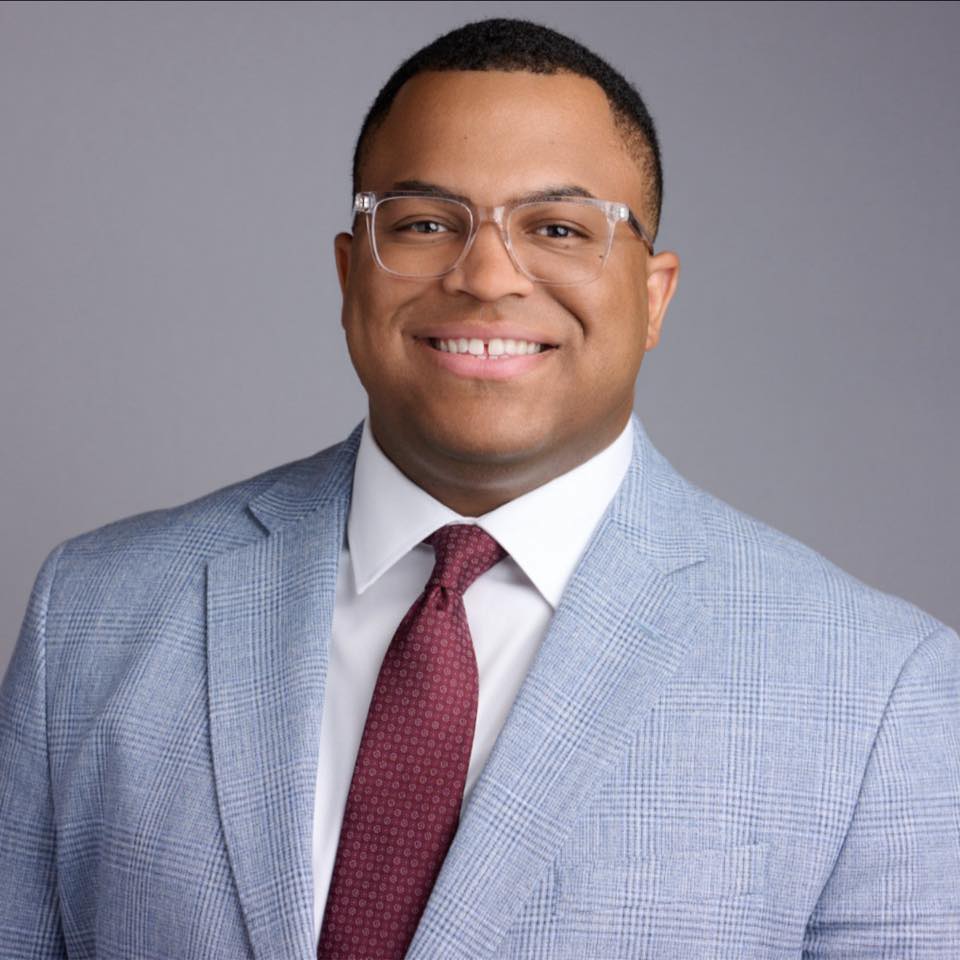
Marquis Carroll, Founder & CEO. Marquis has spent years doing hands-on IT and security work through his own business, and runs a mentorship program that has helped people start careers in tech.
Our storyGETTING STARTED
Four steps from first call to results.
Explore
A relaxed 30-minute conversation about how your business runs and what's getting in the way. No cost, no pressure.
You get: honest answers on whether we can help.
Assess
We look at your systems, security, manual work, and training needs, and record your starting numbers.
You get: a plain-English picture of your risks and opportunities.
Set up
A prioritized plan and proposal, then a kickoff that introduces your team and sets up access safely.
You get: a shared timeline and who to call for what.
Enable
We roll out in phases, train your team, and walk you through your first results.
You get: your first plain-English report, measured with PROVE.
Let's close the doors attackers use most.
A 30-minute call. No cost, no pressure, and honest answers.